
Ainvox allows you to make outgoing calls in two ways:
-
Click to Call
-
In-App Call
Both methods help you call customers easily using a virtual phone number.
Click-to-Call in Ainvox lets you start a call from the browser while the agent speaks through their mobile phone. Using a virtual phone number, this feature allows you to make customer communication simple and fast.
Method 1 Click to Call
Step 1: Locate the Click-to-Call Button
- Click to Call means the call is started from the browser, but the agent talks through their mobile phone.
- On the Ainvox dashboard, you will see a green call button at the top-right corner.
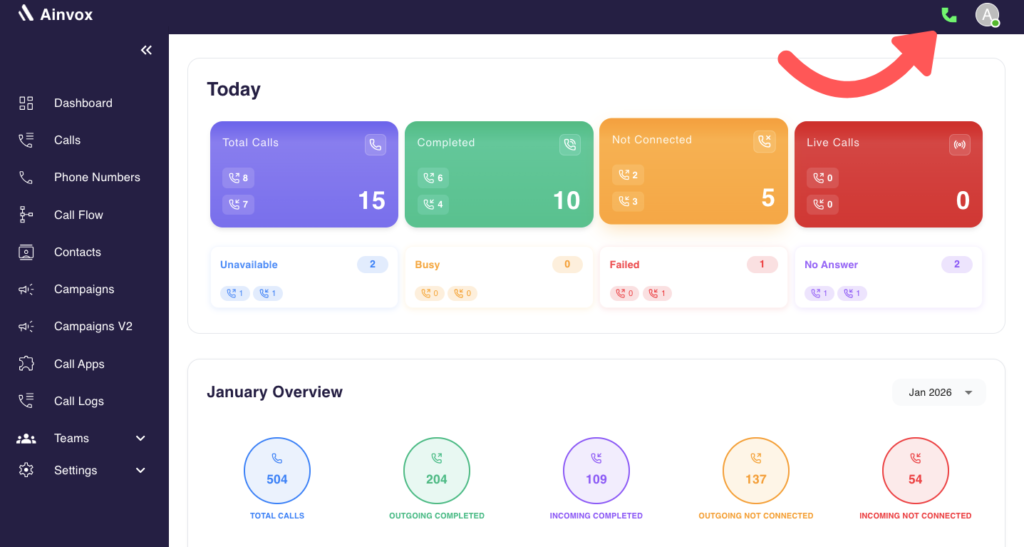
Make outgoing calls easily using the Click-to-Call feature in Ainvox.
Step 2: Initiate the Call
- After clicking the green Call button, enter the customer’s mobile number.
Step 3: Agent Answers the Call
-
When you start the call, the system first calls the agent on their mobile phone using the virtual number.
-
Once the agent answers the call, Ainvox automatically connects the call to the customer.
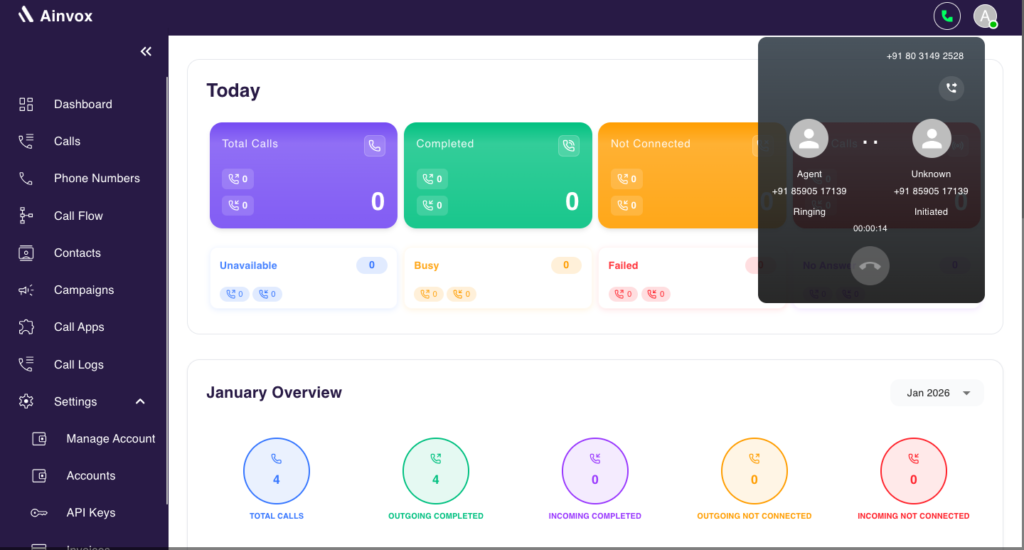
Step 4: Talk
- Now the agent and customer are connected, and the agent speaks to the customer through the mobile phone.
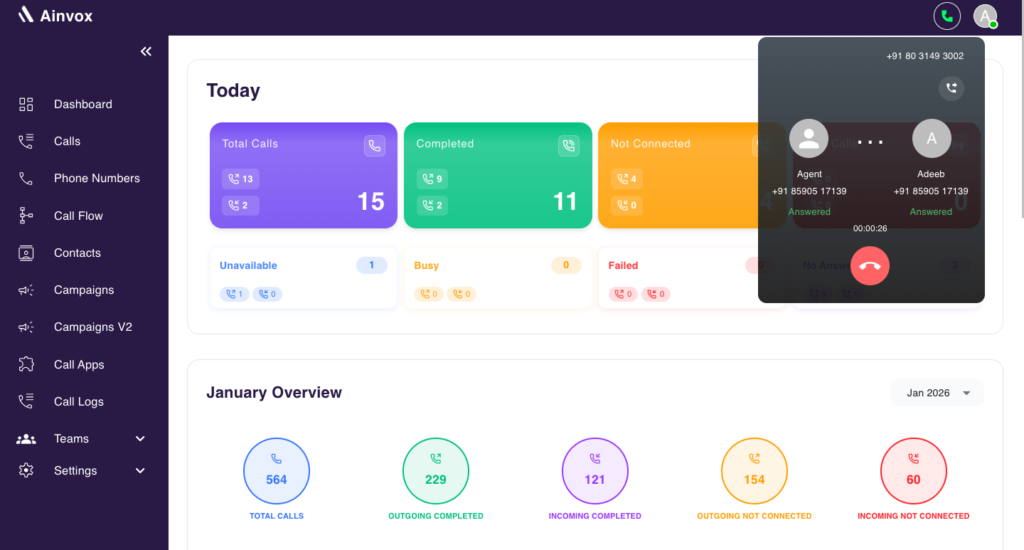
Make outgoing calls easily using the Click-to-Call feature in Ainvox.
Step 5: Add Note
- After the call ends, the agent can also add a note or comment about the call, which will be saved in the call history for future referenc
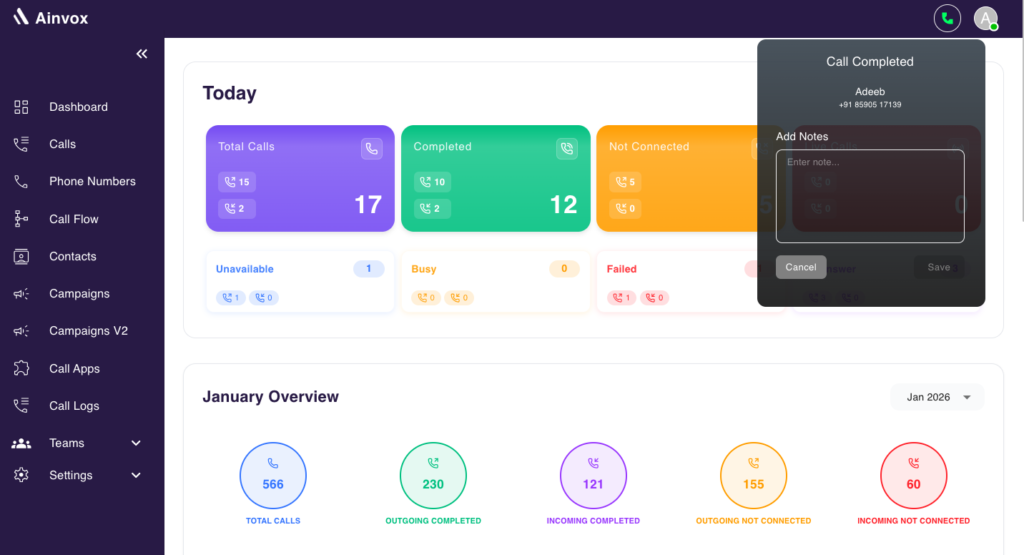
In-App Call
In-App Call means the agent talks to the customer directly through the browser.
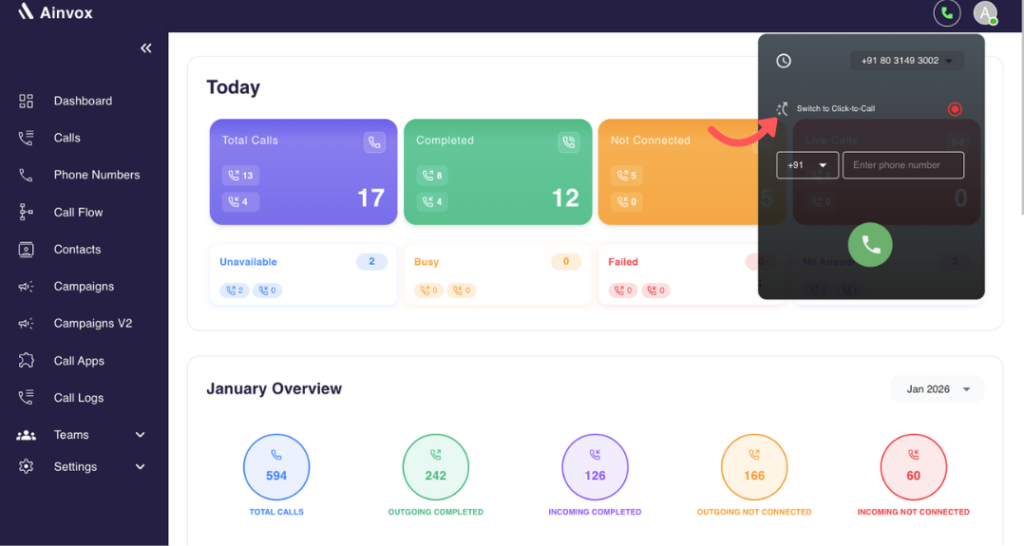
Step 1:Switch Call Mode
- Before making the call, use the arrow option to switch the calling mode to In-App Call.
- Enter the customer’s mobile number in the call box.
-
Click the call button to start the call.
Step 2:Talk Through the Browser
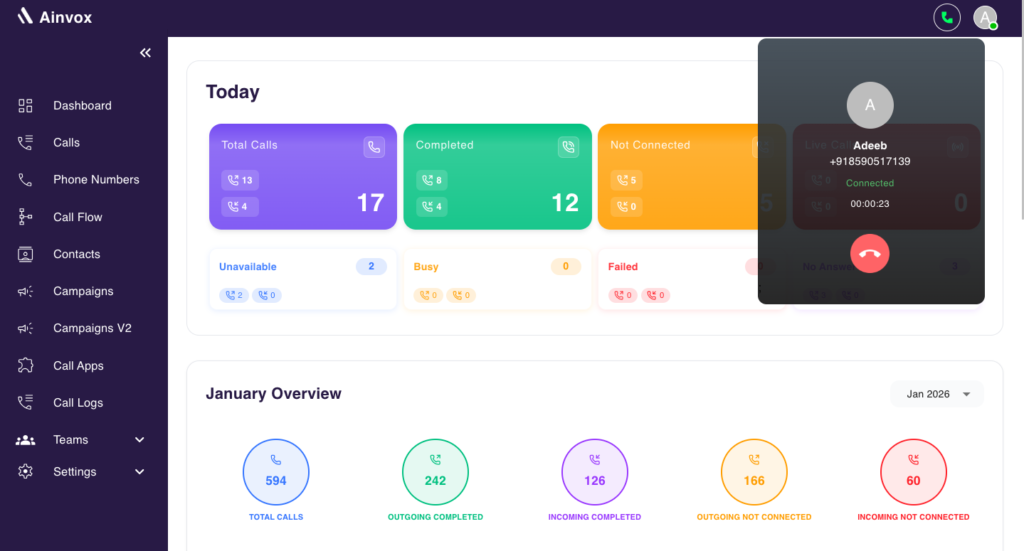
- The agent speaks to the customer using the browser.
- The agent only needs a good internet connection and a headset.
Monitor the Call
During both Click to Call and In-App Call:
- You can see the call status on the dashboard
- You can track how long the call is running
This helps you manage and track outgoing calls easily using Ainvox.